

Vampire countess
Lilith Moreau
Gothic castle atmosphere, elegant temptation, and patient slow-burn romance with supernatural stakes.
GothicVampireElegant
Start chatLorebook setup guide
Build a SpicyChat AI Lorebook with better entries, keywords and tests. Learn current limits, wildcard rules, attachment steps and fixes when lore does not trigger.
12 min read
Quick answer
A SpicyChat AI Lorebook is a keyword-triggered store for world facts, side characters, places, events and rules. Current official documentation says an entry loads when one of its keywords appears in the last four chat messages, stays active for about two turns and shares a lore budget capped near 20% of the available context. The reliable setup is one topic per entry, two to five factual sentences, specific trigger words and a short test chat. Use a Lorebook for conditional world knowledge, not for the character’s core identity or every fact you want remembered.
Featured companions
Three characters refresh on each visit. Cards play a promo video when available and otherwise show the character image.
Vampire countess
Gothic castle atmosphere, elegant temptation, and patient slow-burn romance with supernatural stakes.

Arcane mentor
A confident magic teacher for playful power dynamics, witty tests, and slow-burn classroom fantasy.

Gothic maid
Formal devotion and haunted-house elegance make her a fit for ritual-rich, controlled roleplay.

SpicyChat Lorebook setup, limits and troubleshooting
A SpicyChat AI Lorebook solves a specific roleplay problem: the character profile is too small for every town, faction, object, side character and rule, but pasting the entire world into every prompt wastes context. A Lorebook keeps those details in separate entries and loads only the entries whose keywords appear in the recent conversation.
We checked SpicyChat's current official Lorebook documentation and live creation navigation on August 12, 2026. The feature is now visible in Create and My Creations. The official guide also keeps several boundaries clear: one Lorebook can be attached to a character, the character must currently be private, and JSON import is still described as coming soon. This article focuses on building and testing entries rather than repeating a broad SpicyChat review.
A Lorebook is conditional world memory. Each entry contains keywords and content. When a keyword appears in the recent chat, the matching content is inserted into the context used for the next reply. This is different from permanent human-like memory: an entry can exist but remain inactive until a trigger appears.
| Put this in | Best information | Example |
|---|---|---|
| Character persona | Stable identity and behavior | “Mira is a careful archivist who dislikes rushed decisions.” |
| Lorebook | Conditional world knowledge | “The Glass Archive closes when the silver bell rings.” |
| Chat message | Current action and temporary state | “We are standing outside the east entrance at midnight.” |
| Your own notes | Backup and source of truth | A compact scene recap before major edits |
The most common mistake is using a Lorebook as a second giant persona. Keep identity in the character definition, current action in chat and reusable world facts in Lorebook entries.
The current official guide says keywords are checked across the last four messages from both user and character. A matched entry stays active for roughly two turns—one user message and the following AI reply—and remains active when the keyword continues to appear. Lore is limited to about 20% of total context so it does not consume the whole conversation.
The documented approximate lore budgets are 740 tokens for Free, 1,600 for True Supporter and 3,080 for I'm All In. Those figures explain why thousands of available entries do not mean thousands can load in one reply. Context, plan details and product behavior can change, so confirm the current account screen before treating a number as permanent.
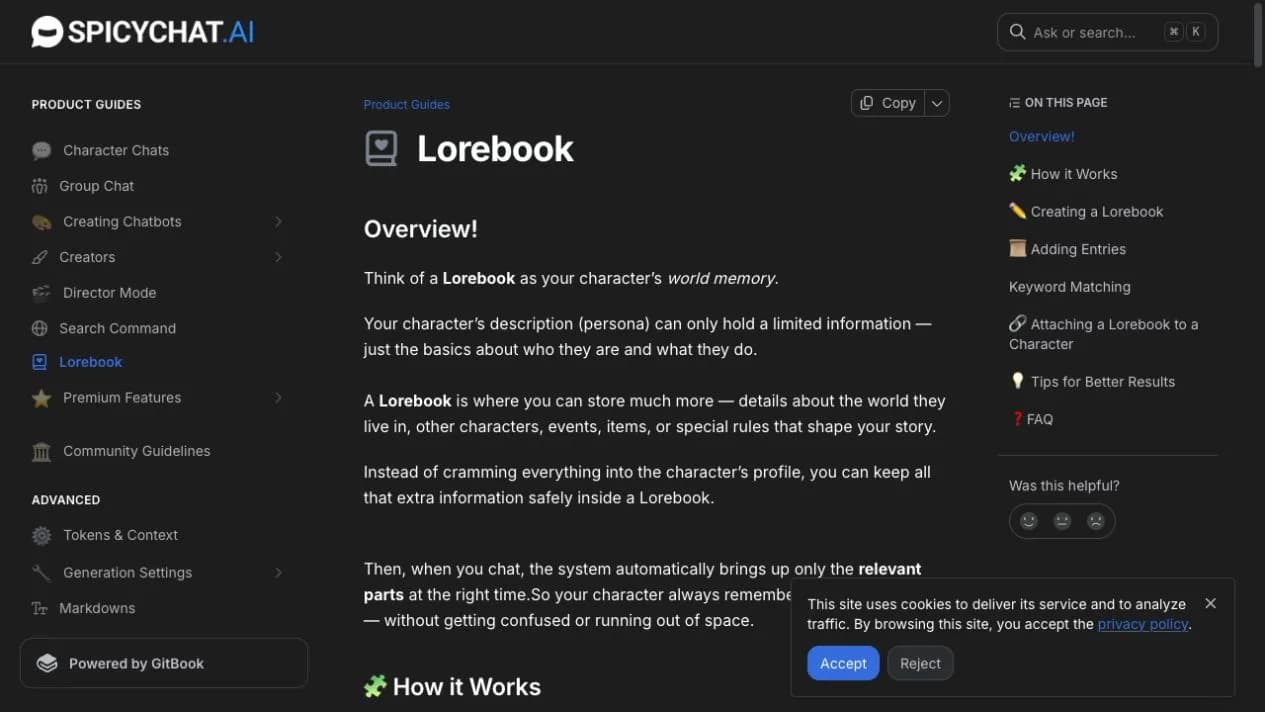
SpicyChat documents up to 5,000 entries in one Lorebook and a maximum of 1,000 characters per entry. Treat those as storage ceilings, not writing targets. Ten clean entries are easier to debug than one hundred vague ones.
Use the same five-part pattern for each entry: subject, identity, relationship, rule and visible consequence. The entry should state facts the model can apply, not a chapter of prose it must summarize.
| Field | Weak version | Better version |
|---|---|---|
| Name | City info | Glass Archive |
| Keywords | world, city, place | Glass Archive, silver bell, east archive |
| Content | A long history of the city | “The Glass Archive protects forbidden maps. The east entrance closes after the silver bell. Archivists never discuss the lower vault in public.” |
| Test | “Do you know the lore?” | Mention the silver bell while choosing an entrance |
Write secrets carefully. If an entry says the character knows a hidden fact, the model may reveal it too early. State who knows the fact and under what condition it may be disclosed.
Specific proper nouns are safer than broad words. A trigger such as “magic” can activate in many unrelated replies and fill the lore budget, while “Ashen Treaty” activates only when that part of the world matters. Multi-word keywords require the phrase to appear together.
SpicyChat supports a wildcard at the beginning or end. The keyword *book can match notebook or storybook, while home* can match homeland or homework. Wildcards are useful for word forms but risky on short roots. Two entries can share a keyword, and both will load; Lorebook content itself does not recursively trigger another entry.
The current workflow is Character Editor → Advanced → Attach Lorebook → choose a book → Save. Changes to the attached book apply to existing chats, so you do not need to detach and attach after every edit.
| Current boundary | Practical meaning |
|---|---|
| One Lorebook per character | Merge related world material before attaching |
| Private characters only | Public-character users cannot add a personal book today |
| Up to 5,000 entries | Large capacity does not increase per-reply lore budget |
| 1,000 characters per entry | Shorter factual entries usually retrieve more cleanly |
| JSON import marked coming soon | Do not promise current cross-platform import |
Check the live editor before planning a migration. A button announced for later is not the same as a working import path.
Create a harmless test entry about the Glass Archive. First ask the character to choose a building without using any trigger. Save that reply. Then mention “silver bell” and ask which entrance remains open. The second reply should use the attached fact without dumping the whole entry.
Repeat with a correction: change east to north in the Lorebook, save, begin a fresh short test and use the trigger again. This separates cached scene momentum from the edited source. The role play chat guide provides a seven-turn scoring method for voice, initiative and continuity.
| Symptom | Likely cause | Fix |
|---|---|---|
| Entry never appears | Keyword was not in the recent four messages | Use the exact phrase naturally in a new message |
| Wrong entries load | Keyword is too broad or shared | Replace it with a proper noun or longer phrase |
| Facts are incomplete | Several entries exceed the lore budget | Reduce active entries and shorten content |
| Old fact persists | Current chat context still contains it | Correct once, then test in a fresh short chat |
| Nothing changes | Book was not saved or attached | Reopen Character Editor and verify the attachment |
Do not test by asking “Did you read my Lorebook?” A model can agree without retrieving the entry. Ask a decision whose correct answer depends on one exact fact.
Use a namespace-like naming pattern for crowded worlds: “Rhea captain,” “Rhea treaty” and “Rhea harbor” are easier to isolate than three entries triggered by “Rhea.” Keep one topic per entry, and do not repeat the same rule in persona, Lorebook and chat unless repetition is intentional.
When several people enter one scene, activate them over more than one turn. A single message containing ten names can load many entries at once and squeeze the actual conversation. The goal is relevant recall, not maximum token usage.
Persona answers “who is this character?” Lorebook answers “what conditional fact should be available when this subject appears?” Recent chat context answers “what is happening now?” Semantic or editable memory can preserve user-specific facts, depending on the product and plan.
A Lorebook cannot prove long-term memory by itself because its trigger can reinsert a fact every time. To test continuity, include a separate invented detail that is not stored in the book and follow the return-session method in the AI companion memory guide.
Lorebooks reward users who enjoy authoring, naming triggers and debugging context. If you mainly want to choose a finished character and start talking, a curated directory reduces setup. Browse real LumiChat characters, run the same short scene on two personalities and compare behavior rather than editor depth.
The SpicyChat alternative guide compares platform-level choices. This page has a narrower job: make one SpicyChat Lorebook reliable. Keep the two search intents separate so a tutorial does not turn into another generic ranking.
Start with five to ten entries, not five hundred. Give each entry one subject, two or three specific triggers and two to five factual sentences. Attach the book to a private character, run a no-trigger/trigger comparison and repair broad keywords before adding more lore.
The three real LumiChat character cards below refresh randomly on each visit. They offer a fast baseline: test the same world fact on a ready-made character, then decide whether Lorebook authoring adds enough control for your story.
A Lorebook is a collection of keyword-triggered entries that adds relevant world, character, event, item or rule information to the chat context.
Current official documentation says one Lorebook can be attached to one character at a time.
Not currently. The documented feature is for private characters, so verify the live editor before relying on a public-character workflow.
The current guide documents up to 5,000 entries, with a maximum of 1,000 characters per entry. Only a limited lore budget can load in one response.
The keyword may be missing from the recent four messages, too broad, competing with other entries or outside the active lore budget. Verify attachment and test one exact trigger.
The current official guide labels JSON import as coming soon. Do not plan a migration until the live editor exposes and completes the import flow.
No. Lorebooks reinsert conditional facts when keywords match. Long-term memory concerns what a character retains across turns or sessions without relying on the same trigger.

Continue in LumiChat
Browse active characters, choose a personality that fits, and start chatting in seconds.
Role play chat guide
A hands-on role play chat workflow for choosing a character, opening a scene, testing continuity and deciding whether the experience is worth continuing.
AI character platform alternatives
Ten free and paid SpicyChat alternatives ranked by story control, memory, setup, model choice, media, and value.
AI companion memory guide
A privacy-aware scorecard for testing recall, corrections, deletion, and cross-session continuity with harmless facts.
AI chat guide
A good AI companion prompt keeps personality, voice, scene, and boundaries consistent.